If you want to know How to Check Your Etisalat Data Balance you have left, the quickest answer is to dial *170# from your Etisalat line or open the e& UAE app and look at your usage. Both work for prepaid (Wasel) and postpaid numbers, and neither needs a store visit.
Those two are only part of the picture. e& also publishes an SMS shortcut, a longer account menu at *101#, and an online account for checking usage from a browser. The right choice depends on whether you currently have signal, mobile data, or a laptop nearby. This guide walks through each method, explains how prepaid and postpaid checks differ, and covers what to do when a code returns nothing.
The fastest ways to How to check your Etisalat data balance
The table below summarises the routes e& lists on its own support pages. Details for each follow.
| Method | What to do | Internet needed? | Line type |
| USSD code | Dial *170# and press call | No | Prepaid and postpaid |
| SMS | Text DATA to 1010 | No | Prepaid and postpaid |
| e& UAE app | Sign in, pick your number, open usage | Yes | Prepaid and postpaid |
| Account menu | Dial *101# and follow the options | No | Prepaid data; postpaid allowances |
| Online account | Sign in through the e& UAE website | Yes | Both |
If you only remember one thing, remember *170#. It is the one data-balance code that appears on e&’s prepaid and postpaid support pages alike.
Etisalat, e& and the app name: clearing up the confusion
The operator’s UAE consumer brand is shown as “etisalat” on its own website, while the support text and many guides call the company e&. You will also see the app referred to as “My Etisalat UAE”, “e& UAE” or “etisalat UAE”. These are the same operator and the same service. In your phone’s app store, look for the official listing from Etisalat/e& rather than third-party “balance checker” apps.
Check your data balance with a USSD code
USSD (Unstructured Supplementary Service Data) codes are short strings that begin with an asterisk and end with a hash. Your phone sends them to the network as a request, and the answer appears on screen or arrives as a text. No mobile data connection is needed, which makes them useful when you have run out of data entirely.
Dial *170# for your data balance
- Open your phone’s dialer.
- Type *170# and press the call button.
- Wait a few seconds for the reply showing your remaining data.
If your plan bundles extras such as “Social Plus” data, read the reply carefully or check the app to see whether those allowances are listed separately from your main data.
Use *101# when you want more than data
e& lists *101# as another way for prepaid customers to monitor their data balance, and as a route to account and allowance information on newer postpaid plans. Because it opens a menu rather than giving a single answer, you choose options one at a time. Menu wording can change, so read the options on screen instead of memorising a sequence of numbers from an old blog post.
What about *121# and *140#?
You will see *121# and *140# in nearly every guide to this topic. Both relate to credit or billing, not data. *121# is widely reported as the prepaid credit check, and *140# appears on e&’s own postpaid plan page as a balance-allowance route. I could not confirm *121# on the e& support pages I reviewed, so treat it as commonly reported rather than officially verified. If your goal is data, *170# is the better first stop.
Older articles also list codes that belong to other networks or to Etisalat’s operations in other countries. If a code isn’t published by e& for the UAE, don’t rely on it.
Check your data balance by SMS
SMS is a good fallback when your USSD request times out.
- Open your messaging app and start a new message.
- Type DATA and send it to 1010.
- Wait for the reply with your remaining data.
Postpaid customers on newer plans have an extra option: e& lists texting “NP” to 1012 for package details and “NP Balance” to 1012 for balance allowances. Some third-party guides suggest other keywords for 1010, such as “BAL” or “DATA BAL”. Those didn’t appear in e&’s official pages, so stick with “DATA” unless the operator tells you otherwise.
Check your data balance in the e& UAE app
The app is the most complete option. It shows more than a one-line answer, and it is where you can buy an add-on if you are running low.
- Download the official app from the App Store, Google Play or Huawei AppGallery. The e& website links to all three.
- Open the app and sign in with your mobile number and the one-time password sent to you. Sign-in options can change, so follow the prompts you see.
- If you manage more than one line, choose the number you want to check.
- Open the usage or balance section.
- Review your data, call minutes and, on postpaid, your bill details.
Two cautions apply. First, the app needs an internet connection, so it won’t help if you are fully out of data and away from Wi-Fi. Second, never share your one-time password with anyone. e& runs a privacy and scam-reporting page on its website if you receive a suspicious message that claims to be from the company.
Check usage through your online account
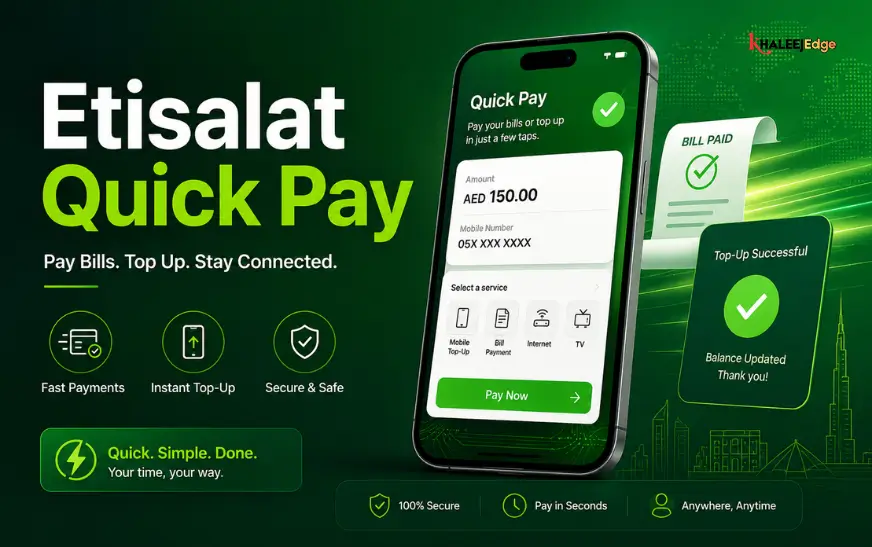
If you’re at a laptop, you can sign in through the e& UAE website (eand.ae) and view your usage there. It suits people who want to review several things at once or who don’t want another app on their phone. The e& site also offers a Quick Pay page for recharging without logging in, but that is for payments, not for viewing your balance.
Prepaid vs postpaid: what changes
The data check itself is almost identical for both. The difference lies in what else you are likely to check and how you are warned.
| Prepaid (Wasel) | Postpaid | |
| Data balance | *170#, DATA to 1010, *101#, app | *170#, DATA to 1010, app |
| Credit or bill | Credit check (*121#, widely reported) | Bill and allowances via *140#, *101# or app |
| Package details by SMS | Not listed | NP and NP Balance to 1012 (newer plans) |
| Automatic alerts | At 80%, 90%, 100% of data packs; out-of-bundle spending alerts | At 80%, 90%, 100% of data pack or plan |
Prepaid users have one more thing to watch: auto-renewing data plans renew from your credit. If you check your data but not your credit, your next renewal may fail. e& notes that these plans renew automatically provided you have enough balance when the renewal date arrives.
Use e&’s automatic alerts so you don’t have to keep checking
You won’t always remember to dial a code, and e& doesn’t expect you to. According to its support pages, customers receive an SMS when they consume 80%, 90% and 100% of a data pack or plan. Prepaid customers are also notified when out-of-bundle charges reach AED 10, AED 30, AED 50, AED 100 and each further AED 100.
Those out-of-bundle alerts matter more than they look. If your pack ends and your phone keeps using data, the charge comes from your credit. Treat the 100% message as a prompt to top up a pack, not just as information.
When a balance check doesn’t work
Most failures have simple causes. Work through these in order:
- No response from a code. Move to somewhere with better signal, toggle airplane mode on and off, and retry. USSD is time-sensitive, so a weak connection can drop the request.
- Wrong SIM on a dual-SIM phone. Make sure the call or message goes out through your Etisalat SIM, not the other line.
- Code for the wrong plan type. If you recently moved between prepaid and postpaid, a code you used before may no longer apply. Try *170# first, since e& lists it for both.
- App figures differ from the code. Pull to refresh or reopen the app. After buying an add-on or recharging, give the system a few minutes and check again.
- Can’t sign in to the app. Update the app, confirm your SIM is active in the phone, and request a fresh one-time password.
- Still stuck. Use the chat option in the app or on the e& support pages. The site describes chat support as available around the clock.
Checking your balance while travelling
USSD codes and SMS shortcuts are designed around the home network, and they can behave differently when you roam. The safest approach is to use the app on hotel or airport Wi-Fi. If you plan to use mobile data abroad, set up a roaming pack before you leave, and review e&’s roaming support page for the services available on your destination network. I haven’t listed roaming codes here because I could not verify them against official pages.
Habits that keep you from running out
Checking your balance is useful, but a few habits make it less necessary.
- Check before heavy use. Streaming video, tethering a laptop and large app updates can consume a monthly allowance in a single evening.
- Check after changing plans or adding a pack, to confirm the new allowance and validity match what you expected.
- Switch to Wi-Fi at home and work for downloads, and keep mobile data for travel and emergencies.
- Use your phone’s built-in data usage screen and warning limit as a second opinion. Its figures reflect what your phone counted, which may differ slightly from what the operator bills, so treat e&’s figures as the reference.
- Keep a short list of the codes you use in a notes app, so you aren’t searching for them when you are already out of data.
Frequently asked questions
Can I check my Etisalat data balance without internet?
Yes. Dial *170# or send DATA to 1010. Both run over the cellular network and don’t need a data connection. The app and online account do need internet access.
Does checking my balance cost anything?
Balance-check codes are commonly described as free. The e& support pages I reviewed don’t state a fee for them, but I can’t guarantee this for every plan, so confirm in the app or with e& if you’re unsure.
What is the difference between checking data and checking credit?
Data is the megabytes or gigabytes in your plan or pack. Credit is the money in your prepaid account, which pays for renewals and for any usage outside your bundle. Use *170# for data and the credit check for money.
Why does the app show a different amount from my phone’s data counter?
Your phone counts what it sends and receives, while the operator’s system records what it bills against your plan. Small differences are normal, and some allowances may not match one-to-one. Use e&’s figure for decisions about your plan.
Can I check a second line from the same app?
If you hold more than one e& line, the app lets you choose the number before opening usage. If you can’t see a number you expect, check that it is linked to your account and contact e& support.
Conclusion
For a quick check, *170# or a DATA text to 1010 gives you an answer in seconds without using any data. For a fuller picture of your minutes, bill and add-ons, the e& UAE app is the better tool. Prepaid users should check credit alongside data, and everyone should pay attention to the 80%, 90% and 100% usage alerts.
Before your next big download or trip, save *170# in your notes, check your balance, and top up if the number looks tight. For more UAE telecom guides, see the related articles on Khaleej Edge listed in the internal linking plan.