If your employer pays you through a Ratibi card, the quickest way to do a Ratibi salary check in the UAE is the card issuer’s online enquiry portal. First Abu Dhabi Bank (FAB) links its Ratibi Salary Checking to the Magnati prepaid card portal at ppc.magnati.com. You can also check at an ATM, rely on SMS alerts, or call the bank.
This guide covers each method, explains the difference between checking a balance and confirming your salary was paid, and sets out what to do if payday passes and nothing arrives. It also covers where to turn if your employer keeps paying late.
What Is the Ratibi Salary Checking Card and Why Does Your Salary Land on It?
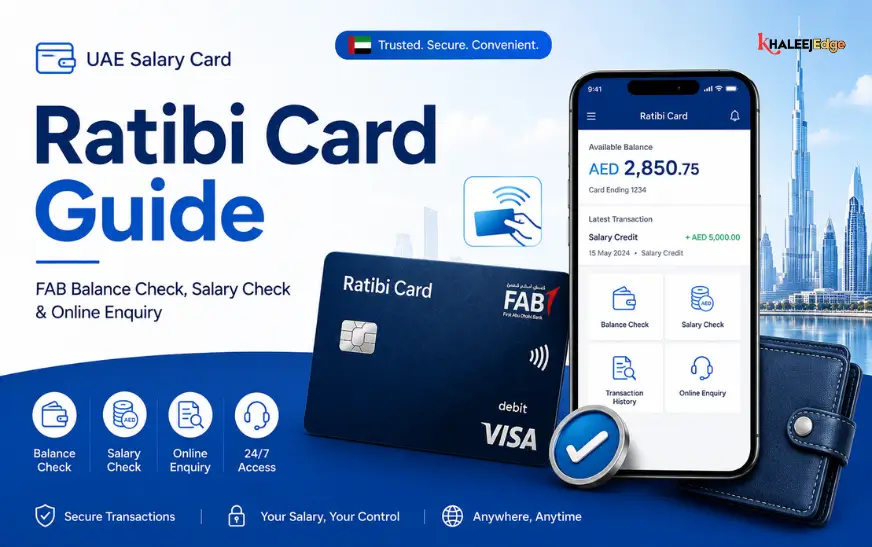
Ratibi is a prepaid payroll card. FAB describes it as a salary solution for employees earning up to AED 5,000, paid onto a card without needing a bank account. Many workers in construction, retail, hospitality and domestic services receive wages this way.
It is tied to the UAE’s Wages Protection System (WPS). Employers registered with the Ministry of Human Resources and Emiratisation (MOHRE) must pay wages through WPS, which transfers salaries to accounts at banks or financial institutions authorised by the Central Bank. A Ratibi card is one way of meeting that requirement for employees who don’t hold a bank account.
Cards are normally issued through the employer, which acts as the point of contact between you and the bank. That is useful to know later, because your HR or payroll team is often the fastest route to an answer.
One point of scope: this article focuses on the FAB Ratibi card, because FAB’s own page is the source I could verify. Other issuers may run their own portals and support lines. If your card carries a different bank’s or exchange house’s name, check the back of the card or ask your employer which service applies.
Ways to Ratibi Salary Checking and Balance
Use the Official Magnati Balance Enquiry Portal
For most people this is the simplest option. FAB’s Ratibi page has a “Ratibi Prepaid Card Balance Enquiry” button that leads to ppc.magnati.com/ppc-inquiry.
The general process:
- Open the portal from the FAB Ratibi page rather than from a search result or message link.
- Enter the card details the form asks for.
- Submit and read your available balance.
The exact fields can change, so follow what the page shows rather than relying on any guide’s screenshot. Treat any site asking for your PIN as a warning sign. A balance enquiry should not need it.
Check at an ATM
You can check your balance at a machine with your card and PIN. The usual steps are:
- Insert the card.
- Enter your PIN.
- Choose balance enquiry.
- Read the figure on screen or on the receipt.
FAB says Ratibi holders get free 24/7 access to its ATM and cash deposit machine network. I could not verify what other banks’ ATMs charge for an enquiry, so use a FAB machine where you can. If you use another network, look at any fee notice before you confirm.
Watch for SMS Alerts
FAB lists free SMS alerts on every salary credit among the card’s benefits. This is passive, but it is often the first sign your wages have arrived. Make sure the mobile number linked to your card is current. If it is outdated, you will miss alerts, and so will anyone trying to warn you about suspicious activity.
Call FAB Customer Care
If the portal won’t load or the figure looks wrong, phone the bank. FAB’s Ratibi page lists 600 52 2298 as the Ratibi service line within the UAE and 600 52 5500 as the general customer line. Numbers can change, so confirm them on the FAB page before calling. Never trust a number from an unsolicited message.
Ask Your Employer for the Payment Record
This is not a balance check, but it answers a different question. If your balance is unchanged, HR can confirm whether the salary was submitted through WPS and when. Ask for the payment date and reference.
Quick Comparison
| Method | Needs internet | Best for |
| Magnati portal | Yes | Fast balance check from home |
| ATM | No | Checking while withdrawing cash |
| SMS alert | No | Knowing the moment salary lands |
| Customer care call | No | Errors, blocked cards, unclear balances |
| Employer/HR | No | Confirming whether salary was sent |
Balance Versus Salary: What You Are Actually Checking
A balance enquiry tells you how much is on the card now. It does not tell you whether this month’s salary was paid in full.
Imagine your salary is AED 2,200 and you withdrew AED 1,800 last week. If the card shows AED 400 afterwards, your salary may not have arrived, or it may have arrived and been spent. The balance alone can’t settle that.
To confirm a salary payment, compare these:
- Your SMS alert for the credit, if you received one.
- Your contract and payslip, which show the amount owed.
- Your transaction history, if the service you use shows it.
- The employer’s WPS payment details.
Keep screenshots or receipts of balances around payday. They are inexpensive evidence if a dispute starts later.
When Should Your Salary Arrive?
According to the UAE government portal, wages fall due from the first day of the month after the period they cover, as set in the employment contract. An employer is in default if payment doesn’t happen within 15 days of the due date, unless the contract sets a shorter period.
That is the official position I could confirm. However, several 2026 commentary sites claim a newer ministerial resolution (No. 340 of 2026) changed these rules and removed the 15-day window. I could not verify that against a primary source, and the official page I read still refers to Ministerial Resolution No. 598 of 2022. Before you rely on any deadline, check the current rules with MOHRE directly. The practical advice below holds either way: act early and keep records.
If Your Salary Hasn’t Arrived: A Practical Checklist
Don’t assume the worst. Delays have ordinary causes, such as a bank holiday, a payroll file submitted late or an error in card details. Work through the steps in order.
- Confirm the date: Check your contract for the agreed payday, and count from there.
- Recheck your balance: through the portal or an ATM. Wait a few hours if the alert hasn’t come, as credits can take time to show.
- Check your card status: A blocked, expired or replaced card can look like a missing salary. Call FAB if the card is declined.
- Ask HR or payroll whether the salary was sent, and request the WPS payment date. Do this within a day or two, in writing if possible (a message works).
- Keep a record of every reply, receipt and screenshot.
- Escalate to MOHRE if the explanation is vague or the delay continues.
How to Raise a Salary Complaint With MOHRE
Late wages are a recognised complaint. MOHRE complaints can cover salaries delayed beyond 15 days, wages unpaid for a month or two, missing overtime and illegal deductions. Employees can submit these complaints confidentially, and their identity is kept private to protect them from repercussions.
For advice, the Labour Claims and Advisory Call Centre can be reached on 80084. A general MOHRE line (600 590 000) is also widely listed, but check MOHRE’s own contact page for the current number.
What happens next depends on the case. For disputes under AED 50,000, MOHRE can issue a legally binding decision, which either side can appeal within 15 working days. Have your passport details, contract, employer name and your payment records ready before you file.
I am not a lawyer, and this is general information. For a complicated claim, such as one involving a company closing down, speak to MOHRE or a qualified legal adviser.
Mistakes to Avoid With Your Ratibi Salary Checking
- Sharing your PIN: No bank, employer or “support agent” needs it. Anyone who asks is probably attempting fraud.
- Using unofficial balance sites: Look-alike pages exist. Use the link on the issuer’s own website.
- Ignoring a changed phone number: Update the number linked to your card so SMS alerts reach you.
- Leaving cash movements unchecked: Review your balance regularly so unfamiliar withdrawals are caught quickly.
- Waiting too long to ask about a delay: Early, polite questions usually resolve problems faster than late, tense ones.
- Losing your card quietly: Report a lost or confiscated card immediately. FAB’s policy notes that cards retained by an ATM are destroyed, and the employer must apply for a replacement.
Frequently Asked Questions
Is checking my Ratibi balance free?
FAB lists free access to its own ATM network for Ratibi holders, and the online portal is the bank’s official enquiry route. I could not verify fees at other banks’ ATMs, so look for a fee notice on screen before confirming at a non-FAB machine.
Can I check my Ratibi salary without a bank account?
Yes. The card exists so that employees can be paid without a bank account. You only need the card and, for ATMs, your PIN.
Why doesn’t my balance show my salary yet?
Common reasons include a payroll file submitted late, a bank holiday, outdated card details or a blocked card. Confirm the due date, ask HR for the WPS payment date and contact FAB if the card itself seems to be the problem.
Can my employer see my card activity?
FAB’s page says employers can manage cards in real time through corporate online banking, but it doesn’t say how much transaction detail they see. If privacy matters to you, ask the bank what is visible to the employer.
Where do I report unpaid salary in the UAE?
Contact MOHRE. You can call 80084 for advice or file a salary complaint through its channels, and complaints can be confidential.
Conclusion
To do a Ratibi salary check in the UAE, start with the official Magnati enquiry page, backed by ATM checks and SMS alerts. Remember that a balance only shows what is on the card today, so compare it with your contract, payslip and payment alerts if you need to confirm a salary.
If payday passes without a credit, work through the simple steps first: confirm the date, check the card, ask HR for the payment record. If the delay continues, MOHRE gives you a formal route. Bookmark the official FAB and MOHRE pages, keep your records, and verify current deadlines before you rely on them.