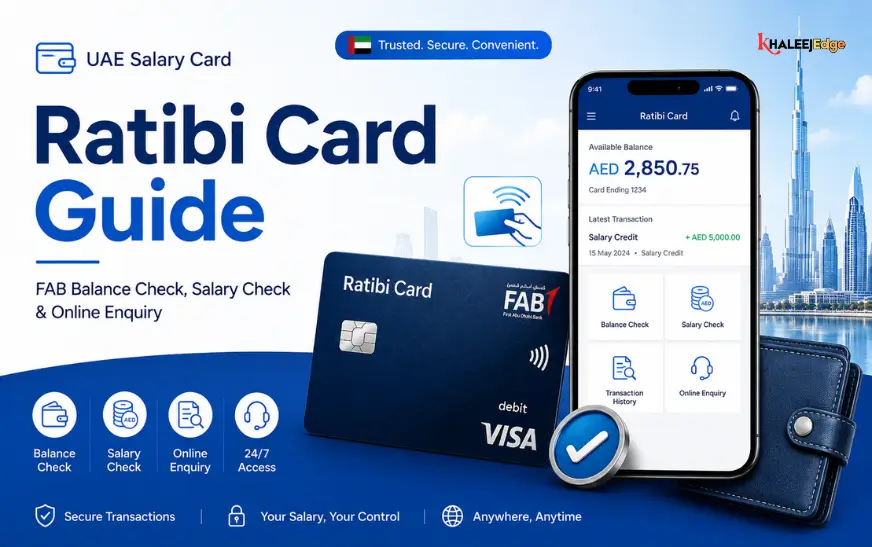


If your salary is paid onto a Ratibi card, a Ratibi salary check takes about a minute. You can enter your card details on the First Abu Dhabi Bank (FAB) prepaid card enquiry portal, use an FAB ATM, or link the card to the Payit wallet. Each route shows your available balance, and some also show recent transactions, which is how you confirm that a salary payment has actually arrived.
This guide explains how each method works, what the result does and does not prove, what to do if your pay looks late, and how to avoid the lookalike websites that target cardholders. Details such as portal fields and helpline numbers can change, so use the steps below as a guide and confirm them on FAB’s official channels.
What a Ratibi Salary Check Actually Tells You
Ratibi is a prepaid payroll card issued by FAB. Employers use it to pay staff who do not hold a conventional bank account, and it is commonly used alongside the UAE’s Wages Protection System (WPS), the electronic payroll system that records whether salaries are paid. Third-party guides describe the card as aimed at employees earning up to AED 5,000 a month. Treat that figure as something to confirm with FAB or your employer, because eligibility thresholds can be revised.
Strictly speaking, there is no separate “salary check” service. What most people call a Ratibi salary check is a balance enquiry combined with a look at recent credits. That distinction matters more than it sounds.
Balance versus salary record
Your balance is the money available on the card right now. If you withdrew cash yesterday or sent money home, the balance will be lower than your salary even though the full amount arrived on time. To confirm a payment, look for a credit entry around payday in the transaction list or a mini statement, not at the balance alone.
Here is a simple example. Your salary is AED 2,200, and on the 5th you see a balance of AED 340. That does not mean you were underpaid. If the transaction list shows a credit of AED 2,200 on the 1st, followed by withdrawals and a transfer, the payment was made. If there is no credit at all, that is the moment to raise it with your employer.
First, Confirm Who Issued Your Card
Not every salary card is a Ratibi card. Some employers use cards from other providers, such as Emirates NBD salary cards, Lulu’s card, or MyPay, and each has its own portal and helpline. Ratibi is FAB’s product. FAB was formed from the merger of National Bank of Abu Dhabi (NBAD) and First Gulf Bank, which is why older guides and some portals still carry the NBAD name.
Check the front and back of your card for the issuer’s name, or ask your HR department. If it says FAB or Ratibi, continue with the methods below. If it names another provider, use that provider’s official channel instead, because entering a Ratibi-style enquiry for a different card will simply fail.
Four Ways to Do a Ratibi Salary Check
1. The online prepaid card enquiry portal
This is the method most guides recommend. FAB’s own website lists a “Ratibi Prepaid Card Balance Enquiry” link in its login menu, and third-party sources say the enquiry page is run through Magnati, the payments company, at ppc.magnati.com/ppc-inquiry. Whenever you can, reach the page through a link on FAB’s website rather than through a search result.
- Open the Ratibi balance enquiry link from FAB’s website.
- Enter the card details the page asks for. Guides disagree on whether it wants the last two or last four digits of your card number, plus your Card ID, so follow the on-screen prompts rather than a guide’s wording.
- Submit the form and read your available balance and any listed transactions.
Your Card ID is separate from the card number. If you cannot find it, ask your employer’s HR team or FAB customer care. Do not ask a website or a stranger on social media.
2. An FAB ATM
This works well if you do not have a smartphone or reliable data. The steps are the same on most machines:
- Insert your Ratibi card.
- Enter your PIN.
- Choose Balance Inquiry.
- Read the balance on screen, or print a receipt if you want a record.
Many ATMs also offer a mini statement, which is the quickest way to see whether a salary credit has posted, though the option and the number of entries shown vary by machine. Third-party guides note that ATMs belonging to other banks may accept the card but can charge for enquiries, so FAB’s own machines are the safer choice. Confirm current fees with FAB.
3. The Payit wallet
Payit is a mobile wallet powered by FAB. According to Payit’s own pages, Ratibi cardholders can link their card to the app, check the balance, and send money abroad. It suits people who already send regular remittances because the balance check and the transfer sit in one place. It does need a smartphone and a one-time registration, so it is less convenient for a one-off check.
4. Customer care or a branch
If the portal rejects your details, or you suspect a payment is missing or wrong, speak to FAB directly. One third-party source lists 600 525 500 as the FAB helpline for these cards. Confirm the number on FAB’s official website before you call. For a printed statement or card problems, secondary sources say to visit a branch with your Emirates ID, though requirements can differ, so check before you travel.
Which method should you use?
| Method | Best for | What you need | Watch out for |
| Online enquiry portal | A quick check from any phone browser | Internet, card details, Card ID | Fake lookalike sites |
| FAB ATM | No smartphone or data | Card and PIN | Fees at other banks’ ATMs |
| Payit wallet | Regular checks and remittances | Smartphone, registration | Linking only through the official app |
| Customer care or branch | Disputes, statements, blocked cards | Emirates ID, card details | Waiting times, document rules |
A Simple Payday Routine
Checking at random times often causes unnecessary worry. A short routine works better.
- Note your pay date: Use your contract or what your employer has told you. If it is vague, ask HR to state it in writing.
- Check on or after payday: not days before it.
- Look at the transactions, not just the balance: using the portal, the app, or an ATM mini statement.
- Record the amount and date of the credit: A screenshot or a photo of the ATM receipt is enough.
- Compare it with your payslip or contract: If the figures differ, ask the employer to explain before assuming a mistake.
- Keep the records for several months: They are useful if a dispute comes up later.
What to Do If Your Salary Is Not Showing
A missing credit has several possible causes, and the first job is to work out which one applies. Common possibilities include:
- The employer has not yet released the payment.
- The money was sent to a different card or account.
- The card is not activated, is blocked, or has been replaced.
- The payment is still being processed.
- The details you entered in the enquiry were wrong, so the check itself failed.
Work through these in order:
- Re-run the check through a second method, such as an ATM, to rule out a portal error.
- Ask your employer whether the salary has been paid, and request proof, such as the payment date and reference.
- Contact FAB customer care with your card details to confirm whether anything has been received or blocked.
- If the employer has not paid, unpaid wages are a labour matter. The Ministry of Human Resources and Emiratisation (MOHRE) handles labour complaints, and its website lists the current complaint channels and any time limits.
This article is general information, not legal advice. If the amount is large or the delay is repeated, a lawyer or your embassy’s labour desk can explain your options.
Keep Your Card and Your Details Safe
Salary cards are an attractive target, and searching for a balance-check page brings up many unofficial sites. Some look like FAB pages, and some are forums or “tracker” apps that ask for card details. A few habits remove most of the risk:
- Never share your PIN or any one-time password (OTP) with anyone, including someone claiming to be from the bank.
- Do not enter card details on third-party “balance tracker” sites or apps.
- Bookmark the official FAB enquiry link once you have confirmed it, and use the bookmark every time.
- Check that the address in the browser matches the official one before typing anything.
- Report a lost or stolen card to FAB straight away. Ask what the replacement fee and timeline are, since third-party figures vary.
Common Mistakes to Avoid
- Treating the balance as proof of salary. Always look for the credit entry.
- Checking only at month-end. A check on payday catches problems while they are easy to fix.
- Using the first search result. Official pages can be outranked by copycats.
- Assuming every ATM is free. Fees at other banks’ machines are a common surprise.
- Not keeping records. Without a receipt or screenshot, a payment dispute rests on memory.
Frequently Asked Questions
Is there a number I can call for a Ratibi salary check?
FAB customer care can help with balance and payment queries. A third-party source lists 600 525 500, but verify the current number on FAB’s official site first. You will usually need to confirm your identity.
Can I check my Ratibi balance without internet?
Yes. An FAB ATM works without a phone or data, and customer care and branches are other offline options. Any of them needs your card or identity details.
Does checking my balance cost anything?
Third-party guides say the online portal and FAB ATMs do not charge for enquiries, while other banks’ ATMs may. These details can change, so confirm with FAB.
Can I see my previous salary payments?
The transaction list on the portal and an ATM mini statement show recent activity. How far back they go varies. For older records, ask FAB about a statement at a branch.
What if my card is blocked or I forgot my PIN?
Contact FAB directly. Do not hand your card details to a third party, however helpful they seem.
Conclusion
A Ratibi salary check is really two checks: how much is on the card, and whether your salary credit arrived. The balance answers the first question, but only the transaction list or a mini statement answers the second. Use an official FAB channel, check on payday, and keep a record of each credit.
Your next step is simple: find the Ratibi enquiry link on FAB’s official website, bookmark it, and run your first check on your next payday. For more practical money guides for UAE residents, explore the related articles on KhaleejEdge.