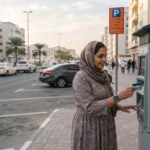
You can check a traffic fine in the UAE by entering your vehicle’s plate details on an official police or Ministry of Interior (MOI) channel. You don’t need to visit a police station. The right portal depends on the emirate where the car is registered and where the violation happened, but the process is much the same everywhere: pick the plate search, enter the plate details, and review what comes up.
This guide covers where to run a traffic fine inquiry by number plate, what you need to enter, how to read the result, and when paying early saves money. It also covers the mistakes that cause trouble, such as blocked registration renewals, fines that won’t let you pay, and scam messages.
What You Need Before You Search
A plate number on its own is often not enough. UAE plates carry several identifying elements, and most portals ask for each of them. On Dubai’s system, for example, you select the plate source, plate colour and plate type, then enter the plate number.
Have these ready:
- Plate source: the emirate that issued the plate, such as Dubai, Abu Dhabi or Sharjah.
- Plate category: private, motorcycle, taxi, learner vehicle, and so on.
- Plate code: the letter or number printed beside the main digits.
- Plate number: the digits themselves.
Copy these exactly as they appear on your vehicle registration card (Mulkiya). A wrong category or code is the most common reason a search returns “no fines” for a car that has several. Some portals also accept a traffic file number, a licence number or an Emirates ID as an alternative.
Where to Check Fines: Official Channels by Emirate
Every emirate has its own police or traffic portal, and the federal MOI app and website cover several of them. The table below summarises the channels reported in current sources.
| Emirate | Main official channels | Plate search available |
| Dubai | Dubai Police website and app, RTA, Dubai Now, MOI app | Yes |
| Abu Dhabi (including Al Ain) | Abu Dhabi Police website and app, TAMM, MOI app, Emirates Vehicle Gate | Yes |
| Sharjah | Sharjah Police, MOI app, Emirates Vehicle Gate | Yes |
| Ajman | AjmanOne app, Ajman Police, MOI app, Emirates Vehicle Gate | Yes |
Channel names and layouts change from time to time. Confirm the current options on the official site before you rely on any list, including this one.
Dubai
On the Dubai Police website you choose “Traffic Fines Inquiry” and can search by licence number, vehicle plate number or fine number. The Dubai Police app follows the same route; one recent guide notes that you sign in with UAE PASS and open “Fines Inquiry and Payment” under Services.
The RTA website and app also show fines. Police fines and RTA fines are not always the same list, so if something looks missing, check both. Parking fines are handled separately, so a clean traffic record does not mean there is no parking fine waiting.
Abu Dhabi and Al Ain
Abu Dhabi drivers can use the TAMM platform, the Abu Dhabi Police app or website, the MOI UAE app, or Emirates Vehicle Gate. One source adds that Abu Dhabi and Al Ain share a single traffic system, so all channels should return the same record. The police app can also show violation images where a camera captured the offence, which helps if you plan to object.
Sharjah, Ajman and the Northern Emirates
For Sharjah, you can use the Sharjah Police site or app, the MOI app or Emirates Vehicle Gate. In Ajman, the listed options include Emirates Vehicle Gate, the AjmanOne app, the MOI UAE app and the Ajman Police website. For the other emirates, start with the MOI app and then check the local police site.
Emirates Vehicle Gate and the MOI App
If you drive across emirates, a federal channel is the simplest starting point. Emirates Vehicle Gate is described as a federal portal that shows fines from every emirate in one place. The MOI UAE app is available on iOS and Android and supports UAE PASS login.
How to Run the Inquiry: Step by Step
The wording differs by portal, but the steps below work on most of them.
- Choose an official channel: Open the police, RTA, TAMM, MOI or Emirates Vehicle Gate site, or the matching app, from its official address or app store listing.
- Find the fines service: Look for “Traffic Fines Inquiry”, “Fines Inquiry and Payment” or similar wording.
- Select the plate search: Pick plate number rather than licence number or Emirates ID.
- Enter the plate details: Add the plate source, category, code and number exactly as shown on the registration card.
- Review each record: Note the fine amount, date, location, violation type and any black points.
- Pay or act: Pay through the same portal, or save the details if you want to object.
Many portals let you run a basic inquiry without logging in, which suits a quick check on a car you own or are thinking of buying. Paying, viewing images and objecting usually require UAE PASS or another login.
Reading the Result: Amount, Black Points and Status
A result is more than a number to pay. Each line should tell you the following:
- Fine amount: the base penalty, plus any late or administrative charges the portal adds.
- Black points: penalty points added to the driver’s licence for certain violations.
- Date and location: which you should compare with your own movements.
- Vehicle impoundment: serious offences can also carry a period of impoundment or an extra release fee.
Fine amounts and black points are set under the federal traffic rules and applied by each emirate’s police. If an amount looks unfamiliar, Abu Dhabi Police’s fines materials service lets users check a violation’s amount, black points and full description. Reading that description before paying avoids the common mistake of paying a fine you could have questioned.
Why a fine can look “unpayable”
Fines attach to the vehicle’s plate first. Gulf News explains that a fine can appear non-payable because it is linked to the vehicle’s number plate, not the licence. Reporting suggests the usual cause is that black points have not yet been officially assigned to a driver. If the portal blocks payment, check again later or contact the traffic department that issued the fine; don’t keep retrying with different details.
Paying Fines and Using Early-Payment Discounts
You can usually pay through the same channel where you ran the inquiry. Cards are standard, and some portals also accept e-Dirham or kiosk payments.
Discounts depend on the emirate, so don’t assume one set of rules applies everywhere.
- Abu Dhabi: reporting says motorists can receive a 35 percent discount if they pay within 60 days of the violation. Gulf News adds that the discount does not apply to fines issued for serious violations.
- Sharjah: Gulf News reports that paying early can earn a 35% discount through the MOI app, with eligibility depending on timing and the type of violation.
- Dubai: sources disagree. Some describe a 35% early-payment reduction, while others say Dubai has no standing scheme and only runs temporary campaigns. One analysis points out that the widely quoted 35% within 60 days is Abu Dhabi Police’s initiative, not a Dubai rule. Treat any Dubai discount as unconfirmed until the official portal shows a reduced amount at checkout.
A reliable rule: a genuine discount shows up automatically inside the official app or website. If someone asks you to pay a “discounted” amount somewhere else, stop.
Why Fines Appear That You Don’t Recognise
Seeing a fine you can’t place doesn’t always mean a mistake. Common explanations include:
- Someone else was driving. The fine sits on the plate regardless of who held the wheel.
- A camera in another emirate. Records are shared, so a Dubai-registered car caught in Abu Dhabi can show the fine in more than one system.
- A rental or borrowed car. Rental companies usually pass fines on to the renter, often with an admin fee. Check your contract.
- A previous owner. If you bought a used car recently, an old violation may still be linked to the plate.
- Plate tampering. Covering or altering a plate is itself an offence; Khaleej Times reports that Article 27(b) of the Federal Traffic Law sets a Dh400 fine for tampering with a registered number plate.
If a fine looks wrong, don’t pay it first and ask questions later. Note the fine number, date and location, then use the objection route offered by the issuing authority. One source suggests the window is commonly around 30 days from the fine date in Dubai, but that figure comes from a third-party guide; confirm it with Dubai Police.
Mistakes That Cost Drivers Time and Money
- Searching with the wrong plate category: The result looks clean while real fines are missed.
- Ignoring fines until renewal: Registration renewal through the police or TAMM systems typically requires outstanding fines to be cleared, so a small old fine can delay the Mulkiya.
- Missing the discount window: In emirates with early-payment schemes, a few weeks can change the amount.
- Checking only one emirate’s portal: If you drive between emirates, use a federal channel too.
- Paying through a link in a message: This is the fastest route to a scam.
- Relying on an SMS shortcode from a blog: Some articles list short codes, but they conflict. One Abu Dhabi-focused source says Abu Dhabi Police does not publish one on its current pages and that the number most often quoted belongs to Dubai Police. Prefer the official app or a kiosk.
Special Situations: Buying, Selling and Renting
Buying a used car: Run a plate search before paying a deposit, and ask the seller to clear any balance first. Unpaid fines can hold up registration renewal and ownership transfer, so you don’t want to inherit the problem.
Selling a car: Settle outstanding fines before the transfer. It shortens the process and avoids disputes later about who owes what.
Renting a car: Keep your rental agreement and the dates you had the vehicle. If a fine arrives after the return, those dates show whether it falls in your period.
Company vehicles: Fleet managers can search by plate for every vehicle on a regular schedule, ideally monthly, rather than waiting for renewal.
Staying Safe From Fake Fine Messages
Fake “unpaid fine” texts and emails have become a routine problem. These habits help:
- Open the official app or type the portal address yourself rather than tapping a link.
- Be suspicious of urgent deadlines, threats or payment requests for personal details beyond what the portal normally asks.
- Never share card numbers, OTPs or UAE PASS credentials by message or phone.
- When in doubt, check the plate on the official app. If the fine is real, it will appear there.
Frequently Asked Questions
Can I check traffic fines by number plate without logging in?
Often yes. Some sources say you can run an Abu Dhabi check by plate number without a personal account, on TAMM, the Abu Dhabi Police site and EVG. Paying, viewing evidence and objecting usually require UAE PASS or another login.
Do fines belong to the car or the driver?
The fine is linked to the plate, while black points are added to the licence of the driver responsible. That is why a fine can show up on a car you’ve just bought, or be payable only after the driver is identified.
How often should I check?
Check at least before renewal, after any trip that included radar-heavy roads, and before buying or selling a car. Regular checks also help you catch discount windows.
What if a fine looks wrong?
Gather the fine number, date, location and any evidence, then use the objection service from the issuing authority. Don’t pay and then hope to reverse it; check the portal for time limits.
Can I check another person’s car?
A plate search typically returns fines for the vehicle without needing the owner’s login, which is why it works for pre-purchase checks. Respect privacy and use the result only for legitimate purposes, such as confirming a purchase or managing a fleet.
Conclusion
A traffic fine inquiry by number plate takes a couple of minutes once you know your plate source, category, code and number. Use an official channel for your emirate, or the MOI app and Emirates Vehicle Gate if you drive across emirates. Read the full description before paying, and treat any discount as real only when the official portal applies it.