
If you lived or worked in Abu Dhabi a decade ago, sorting out administrative paperwork was an all-day event. You’d gather printed folders, drive between government offices scattered from the Corniche to Mussafah, grab a paper ticket, and wait in crowded reception halls just to get a single stamp.
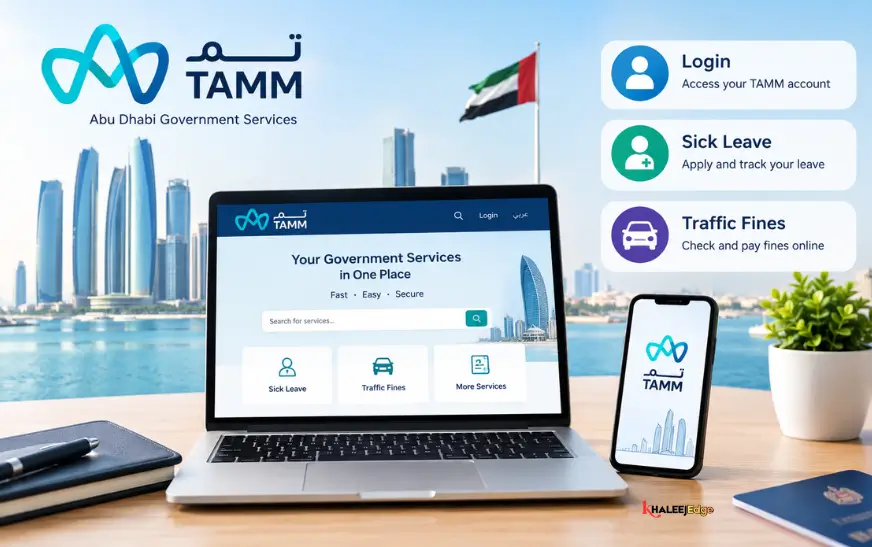
Today, that entire experience has vanished. The modern backbone of daily life in the emirate is TAMM—a unified digital platform created by the Department of Government Enablement (DGE).
Whether you woke up feeling under the weather and need an employer-verified sick note, noticed an unexpected speed radar flash on Sheikh Zayed Road, or have to renew a commercial lease, you handle it through one window. TAMM pulls hundreds of standalone municipal, health, police, and transport portals into a single screen. Accessible online at tamm.abudhabi and via smartphone apps, it’s the only digital tool you really need to navigate public services in the capital.
How TAMM Works: Getting Started and Logging In
The beauty of TAMM is that it doesn’t ask you to create yet another username and password. It’s built around a single digital identity framework, meaning once you prove who you are once, the entire Abu Dhabi public sector recognizes you.
| Layer | System | What It Actually Does For You |
| Identity Layer | UAE Pass | Uses facial biometrics or your 4-digit PIN on your phone to verify your national identity instantly. |
| Central Platform | TAMM Ecosystem | The unified dashboard (tamm.abudhabi and iOS/Android app) where every service lives. |
| Connected Entities | Healthcare | Department of Health (DoH) medical records, medical licenses, and insurance links. |
| Transport & Mobility | Abu Dhabi Police fine records, driving licenses, vehicle tests, and Darb road tolls. | |
| Housing & Utilities | Municipality Tawtheeq rental contracts, land maps, and ADDC/AADC utility accounts. | |
| Business & Trade | Economic Development (ADDED) company registrations, trade names, and commercial permits. |
Logging In with UAE Pass: The 30-Second Routine
To see your private records or make payments, you must use UAE Pass:
- Head to
tamm.abudhabior open the TAMM mobile app on your smartphone. - Hit the red “Sign In with UAE Pass” button on the home screen.
- Your phone will trigger an authentication prompt. Switch to your UAE Pass app, verify with Face ID or your security PIN, and approve the request.
- You’ll be dropped straight into your personalized dashboard. Your Emirates ID, sponsored family members, registered cars, and linked lease contracts will already be populated on screen.
Can You Use It Without Logging In?
Yes, for basic checks. If you just want to see how much a government service costs, check the speed limit rules, or look up a traffic fine on a borrowed or company car using just the plate number, you can do that as a guest. But the moment you want to view a medical record, pay a bill, or download an official PDF, you’ll need to authenticate.
The Most Common Services at a Glance
Instead of organizing by confusing ministry names, TAMM groups everyday errands by what you are actually trying to accomplish in your life:
| Category | Official Authority | Everyday Tasks Handled on TAMM |
| Healthcare | Department of Health (DoH) | Attesting sick leaves, checking medical reports, reviewing health insurance status, verifying doctor credentials. |
| Driving & Roads | Abu Dhabi Police & ITC | Checking and paying traffic fines, renewing your driver’s license, topping up your Darb toll wallet, booking Mawaqif parking. |
| Rent & Utilities | Abu Dhabi Municipality & ADDC/AADC | Attesting your Tawtheeq tenancy contract, transferring residential utility accounts, downloading land plot plans. |
| Business Setup | Department of Economic Development (ADDED) | Renewing a commercial trade license, reserving a company trade name, issuing immediate freelance permits. |
| Family & Welfare | Family Development Foundation & SSA | Social assistance schemes, the “Mabrouk Ma Yak” newborn paperwork package, marriage registrations. |
Healthcare & DoH: How to Attest a Sick Leave Certificate
Ask any HR manager in Abu Dhabi what their most frequent employee paperwork issue is, and they’ll likely say medical certificates. In the capital, corporate HR teams and labor regulators don’t accept casual paper prescription notes. Your sick leave must be attested by the Department of Health (DoH).
Here is how the data flows behind the scenes:
| Step | Who Does It | What Actually Happens |
| 1 | Your Doctor / Clinic | During or right after your consultation, the clinic clerk enters your medical leave into the DoH electronic system. |
| 2 | DoH Network | The central health authority registers the case and syncs it across the emirate’s public database. |
| 3 | You on TAMM | You log in with your UAE Pass. The platform automatically detects your file through your Emirates ID. |
| 4 | Check & Pay | You review the clinic name, dates, and doctor’s name, then pay any statutory attestation fee if required. |
| 5 | Download PDF | TAMM generates an official certificate featuring a verifiable QR code and an electronic DoH seal. |
When Do You Need an Official Attestation?
If you fall ill and miss work, the attending physician must submit your report electronically.
- Routine Leaves (1 to 5 Days): These are usually straightforward. Most clinics issue them directly through the connected health network, and they come through with minimal delay.
- Extended Medical Absences (Over 5 to 7 Days): Longer leaves require formal Medical Board review under UAE Labour regulations before employers can process statutory paid sick leave.
How to Download Your Attested Certificate Step-by-Step?
- Double-check with your clinic: Before you waste time refreshing TAMM, confirm with the clinic’s front desk that the doctor has closed your encounter and submitted your sick leave to the DoH portal.
- Open the Sick Leave service: Log in to TAMM, navigate to Services – Healthcare, and select Sick Leave Attestation / Inquiries.
- Select your record: If you’re signed in with UAE Pass, your recent consultation will usually show up immediately. If not, type in your Emirates ID or the Medical Reference Number (MRN) printed on your clinic invoice.
- Verify details: Check that the dates of absence, medical clinic name, and attending doctor match your actual visit.
- Pay the fee (if applicable): Standard short-term leaves from network clinics often carry no extra platform fee, while extended or board-reviewed certificates have standard DoH attestation charges.
- Download and email your HR: Save the generated PDF document. It contains a scannable verification QR code and the official electronic Department of Health stamp. Your employer’s HR team can scan that QR code to verify the certificate’s validity instantly.
Practical tip: If you log into TAMM and your sick leave isn’t showing up, 9 times out of 10, the clinic’s billing department hasn’t finalized the medical file yet. Call the clinic reception and ask: “Has my doctor finalized and submitted the DoH sick leave report?” Once they click submit on their side, it reflects on TAMM almost immediately.
Traffic & Vehicles: Checking and Paying Fines
Nobody likes getting a speed radar ticket, but leaving it unpaid until your vehicle registration (Mulkiya) expires only creates headaches. TAMM puts Abu Dhabi Police and the Integrated Transport Centre (ITC) on the same page.
How to Check and Clear Fines Step-by-Step
- Head to the fines section: On the TAMM app or website, search for “Pay Traffic Fines”.
- Choose your search method:
- Traffic Code Number (TCN): By far the cleanest method. It pulls up every violation linked to your traffic file, regardless of which car you were driving.
- Emirates ID: Great for personal car owners.
- Plate Information: Useful if you’re driving a spouse’s car, rental vehicle, or company van. You just enter the Emirate, plate category, and number.
- Examine the ticket: Click into individual violations to see the exact time, the radar location, the fine amount (in AED), and whether there are black points or vehicle impoundment conditions attached.
- Make the payment: Settle individual tickets or clear the whole batch using a credit card, debit card, or Apple Pay.
- Instant clearance: The payment updates the Abu Dhabi Police system in real time. Any blocks on your file disappear immediately, letting you renew your car registration or transfer ownership without a hitch.
Need In-Person Help? Physical Centers & Support
Even with a strong digital setup, real life happens. Sometimes you need a human being to look at an unusual legal document, or you’re helping an elderly parent who doesn’t use smartphones.
- TAMM Customer Happiness Centers: Modern, welcoming physical branches are located across the emirate—including Al Bateen, Khalifa City, Mussafah, Al Ain, and Madinat Zayed in the Al Dhafra region. They have self-service terminals alongside friendly staff to walk you through tricky submissions.
- TAMM “Van” Mobile Services: A thoughtful community initiative where a fully equipped government service van visits senior citizens, retirees, and People of Determination right at their doorstep.
- The TAMM Contact Number: If something is stuck, call the Abu Dhabi Government Contact Center:
- Toll-Free (Within UAE): 800 555
- Calling from Overseas: +971 2 666 4442
- Support Email:
contact@tamm.abudhabi
Why You Should Keep the App on Your Phone?
While the website works fine on a desktop browser, having the TAMM App installed on your phone saves practical time:
- Your Digital Wallet: It keeps clean, legally valid digital cards of your Abu Dhabi Driver’s License, vehicle registration (Mulkiya), and property ownership documents right on your device.
- Reminders Before You Get Penalized: The app pings you with clean push notifications 30, 14, and 7 days before your car insurance, registration, or lease contract expires.
- Quick Micro-Payments: Paying for daily Mawaqif parking tickets, topping up your Darb toll balance, or paying your electricity bill takes two taps using Apple Pay or stored payment options.
Frequently Asked Questions
1. What does the name “TAMM” mean?
“TAMM” comes from the everyday Arabic word تم (pronounced tamm), which translates to “done,” “completed,” or “taken care of.” It reflects the platform’s goal: getting government errands resolved without friction.
2. Is UAE Pass mandatory to use TAMM?
For anything involving your private records—like viewing medical leaves, managing registered vehicles, or paying property leases—yes, UAE Pass is required. However, you can still check general public service fees or run quick traffic fine checks on a license plate as an unauthenticated guest.
3. How do I get an attested sick leave certificate from TAMM?
Log in using UAE Pass, head to Healthcare, select Sick Leave Attestation, find your recent consultation using your Emirates ID or Medical Reference Number (MRN), settle any applicable charges, and download the official PDF featuring the verified DoH stamp.
4. How much does a sick leave attestation cost on TAMM?
Standard, short-term sick notes issued by authorized clinics generally have no platform service fee. Extended medical leaves or those requiring review by a Department of Health medical committee incur statutory government fees.
5. Can I check Abu Dhabi traffic fines without signing into UAE Pass?
Yes. You can use the public fine lookup tool on TAMM simply by entering the vehicle’s license plate number, plate code, and emirate without logging in.
6. Why isn’t my sick leave showing up on TAMM?
In most cases, the medical facility or hospital reception hasn’t submitted the case file to the Department of Health (DoH) network yet. Call your clinic’s records desk and verify that your doctor’s encounter was electronically transmitted.
7. Can I recharge my Darb toll account on TAMM?
Yes. TAMM connects directly to the Integrated Transport Centre (ITC). You can review your toll wallet balance, register new cars, and pay off toll gate crossings directly inside the portal.
8. What is the official TAMM helpline phone number?
You can reach the Abu Dhabi Government Contact Center on their toll-free number 800 555 within the UAE, or at +971 2 666 4442 if calling from outside the country.
9. Can I renew my residential lease (Tawtheeq) on TAMM?
Yes. Property owners, real estate management companies, and authorized individuals register, update, and issue official Tawtheeq tenancy contracts directly through TAMM’s housing portal.
10. Are there still physical TAMM centers open if I need human help?
Yes. Physical TAMM Centers operate throughout Abu Dhabi city, Al Ain, and Al Dhafra, catering to complex administrative needs, senior citizens, and People of Determination.