If you’re searching for a FAB salary card balance check number, here’s the short version. There isn’t one universal number that gives you your balance. Most people with a FAB (First Abu Dhabi Bank) salary card, usually the Ratibi prepaid card, check their balance in one of four ways. They use the prepaid card inquiry page linked from FAB’s Ratibi page, a FAB ATM, FAB’s mobile app options, or customer care.
This guide explains each method, what you need for it, and how to avoid the fake “balance check” sites that clutter search results. It also covers what to do when your salary doesn’t appear.
What a FAB salary card is (and why it works differently from a bank account)
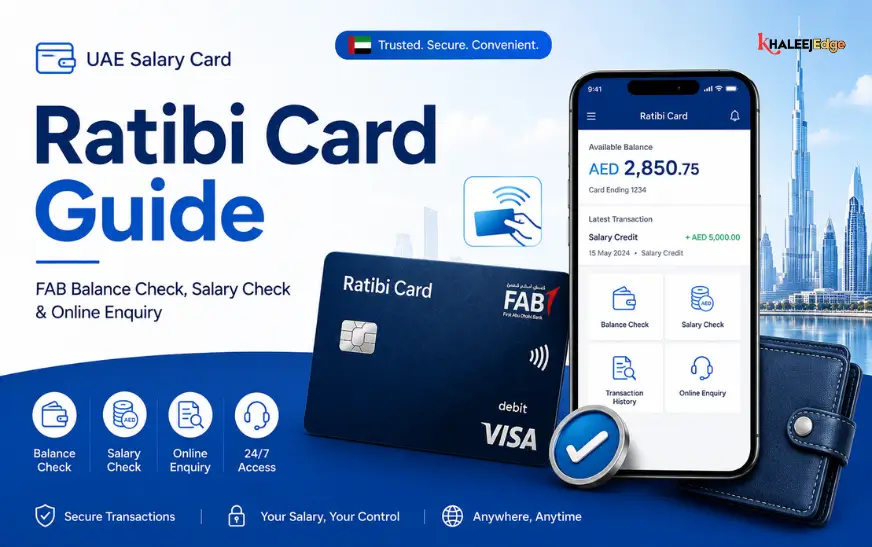
A FAB salary card is usually the Ratibi prepaid card. FAB issues prepaid cards to organisations that hold a corporate account with the bank. The cards are issued in the employee’s name, and the employer loads the funds, including wages or salary.
Ratibi is aimed at lower-paid workers. Third-party sources describe it as a payroll solution for employees earning up to AED 5,000. That figure comes from secondary sources, so confirm current eligibility on FAB’s own page.
The practical difference from a salary account is that you can’t always log in to internet banking and see everything. That’s why people search for a “balance check number” or a special link. The card has its own channels.
Many cards still show the NBAD logo. NBAD and First Gulf Bank merged in 2017 to form First Abu Dhabi Bank, so NBAD-branded cards are now managed under FAB.
Is there a FAB salary card balance check number?
People usually mean one of three things: a phone number, an SMS short code, or a WhatsApp number. Here is what I could and couldn’t confirm.
Phone: FAB customer care can help with card queries after you verify your identity. The number printed on the back of your card, or listed on .com, is the safest one to use. Third-party websites publish different numbers for Ratibi support, and I couldn’t verify any of them against FAB’s official pages. Don’t rely on a number from a blog, including this one, without checking it against the card or the bank’s website first.
SMS and WhatsApp: Several unofficial sites list a short code or a WhatsApp number for checking balances. The details differ between sites and I couldn’t verify them officially. Never send your card details to a number you haven’t confirmed on FAB’s own channels. Whatever channel you use, FAB will never need your PIN or full card number over chat or text.
The practical answer: For a Ratibi card, the online inquiry page and the ATM are the two methods that appear consistently and don’t depend on a phone number.
| Method | What you need | Needs internet? | Best for |
| Prepaid card inquiry page | Card digits requested, Card ID, CAPTCHA | Yes | Quick checks from any phone |
| FAB ATM | Card and PIN | No | Checking and withdrawing cash |
| FAB app / Payit | Registered app access | Yes | Regular users, if your card supports it |
| Customer care | Card details, identity verification | No (phone only) | Problems the self-service tools can’t solve |
| SMS alerts | Registered mobile number | No | Passive notifications of credits |
Method 1: Check your balance on the prepaid card inquiry page
This is the most commonly described method for Ratibi cards, and it needs no login or app.
According to one guide, FAB’s Ratibi product page has a balance enquiry link for existing cardholders, which currently redirects to a prepaid card enquiry service on the Magnati card-services portal. Magnati is FAB’s payments subsidiary.
To use it:
- Open .com in your browser and go to the Ratibi prepaid card page.
- Find the Ratibi Prepaid Card Balance Enquiry link in the section for existing cardholders.
- If a pop-up says you’re leaving .com, confirm it. This is the handover to the card-services portal.
- Enter the card digits the form asks for, your Card ID, and the CAPTCHA.
- Submit the form and read your available balance.
Starting from FAB’s own page, rather than a search result, is the habit that protects you most. It also solves a real inconsistency: guides disagree on whether the form wants the last two digits, the last four, or the full number. The form shows what it currently needs, so follow it rather than a blog’s description.
Where to find your Card ID
Your Card ID is not the same as your card number. It’s a separate reference printed on your card or supplied with it, and guides disagree on where exactly. Look at the front and back, near the card number, and check the leaflet that came in the envelope. If you can’t find it, ask your HR department or visit a FAB branch rather than guessing.
Method 2: Check your balance at a FAB ATM
ATMs are the most dependable offline option:
- Insert your card.
- Enter your PIN.
- Choose Balance Enquiry.
- Choose a receipt if you want a printed record.
You can check at any FAB ATM, and FAB cards generally work at other UAE banks’ ATMs too. Charges for using other banks’ machines may apply, so check your card’s terms. The ATM is also where most people activate a new card. FAB’s cards usually arrive inactive. If yours doesn’t work, ask your employer when it was issued and follow the activation instructions that came with it.
Method 3: Use the FAB app or Payit
FAB’s own key facts statement for prepaid cards mentions the Payit app as a service channel. A third-party guide also says Ratibi cardholders activate and manage their cards through it.
I couldn’t verify exactly which balance features each card type supports in the app. If you already use Payit or FAB Mobile, look under cards or prepaid cards. If your card doesn’t appear, it may simply not be supported. Use the inquiry page or an ATM instead.
Method 4: Call customer care
Phone support is useful when self-service fails: the portal rejects your details, the ATM keeps your card, or your balance looks wrong. Have your card, Emirates ID and employer details ready, since the agent will verify your identity.
Use the number on the back of your card or from .com. Expect to be asked security questions, and end the call if anyone asks for your PIN or an OTP. Genuine staff never ask for these.
Method 5: SMS alerts for salary credits
Some guides say Ratibi cardholders receive an SMS when a salary is credited to the mobile number registered on the card. If you’re not receiving alerts, the likely cause is an outdated number on file. A FAB branch can update it, usually with your Emirates ID.
Which method should you use?
- Checking on payday from your phone: the inquiry page, reached from .com.
- No internet or a basic phone: the ATM.
- Checking often: the app, if your card supports it.
- Something looks wrong: customer care, then your employer’s HR.
Why your salary might not appear on the card
A missing salary isn’t always a bank problem. Some of the common explanations:
- Payday hasn’t passed: Your employer may pay on a set date, and processing can take a short time.
- The card isn’t linked to the right payroll record: HR may have loaded the wrong card number.
- The card is inactive, expired or blocked: Check the expiry date and whether you ever activated it.
- A partial or late payment from the employer: Your employer, not FAB, decides how much to load and when.
If the money is late, ask HR first for the payment reference or WPS confirmation. UAE employers are generally expected to pay wages through the Wages Protection System. If you still get no answer, the Ministry of Human Resources and Emiratisation (MOHRE) handles wage complaints. Use the contact details on mohre.gov.ae.
Staying safe: fake balance check sites
Search results for this topic include many lookalike pages with names like “FAB balance check” or “NBAD balance inquiry.” Some are harmless blogs. Others may be built to collect card details.
- Enter your card details only on a page you reached from .com.
- Look for the padlock and check the domain carefully.
- Never share your PIN, CVV or OTP with anyone who contacts you first.
- Be suspicious of any site that asks for more than the inquiry form normally requests.
- Don’t save “official numbers” from a random blog. Cross-check them against your card.
Common mistakes
- Confusing Card ID with card number: They are different.
- Entering the wrong number of digits: Follow the form, not a guide.
- Using a search result instead of FAB’s own link.
- Waiting too long to report a lost card: Report loss or theft to customer care immediately.
- Letting your registered mobile number go out of date: You’ll lose alerts and OTPs.
Frequently asked questions
Can I check my FAB salary card balance without the internet?
Yes. Use a FAB ATM, or call customer care using the number on your card.
Is checking the balance free?
Guides often say FAB’s own channels are free, but I couldn’t confirm that for every card type. Check FAB’s key facts statement for prepaid cards, and note that other banks’ ATMs may charge.
What if my card still says NBAD?
It’s still valid. The NBAD brand became FAB after the 2017 merger, and these cards are managed by FAB.
Can I change employers and keep the same card?
One third-party guide says yes and that the new employer can load salary onto it. This depends on your card’s status and the employer’s arrangements, so ask FAB or the new HR team.
What should I do if I can’t find my Card ID?
Check the front and back of the card and any leaflet, then ask HR or a FAB branch. Don’t try guessed numbers repeatedly, as you may lock the service.
Conclusion
There’s no single FAB salary card balance check number that works for everyone. The reliable routes are the prepaid card inquiry page reached from .com, a FAB ATM, the app if it supports your card, and customer care using the number on your card.
Your next step is simple. Find your Card ID now, before payday, and save the number from the back of your card in your phone. If you publish or share this guide, always point readers to .com rather than third-party sites.