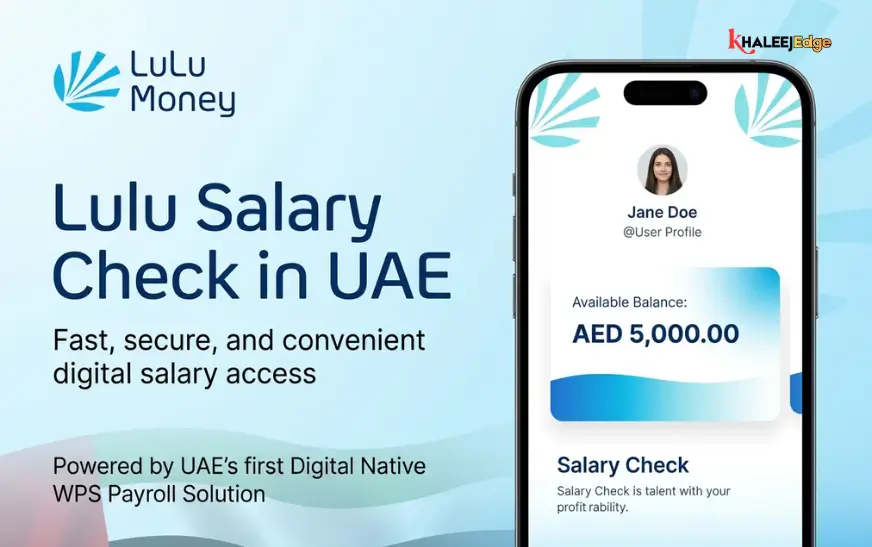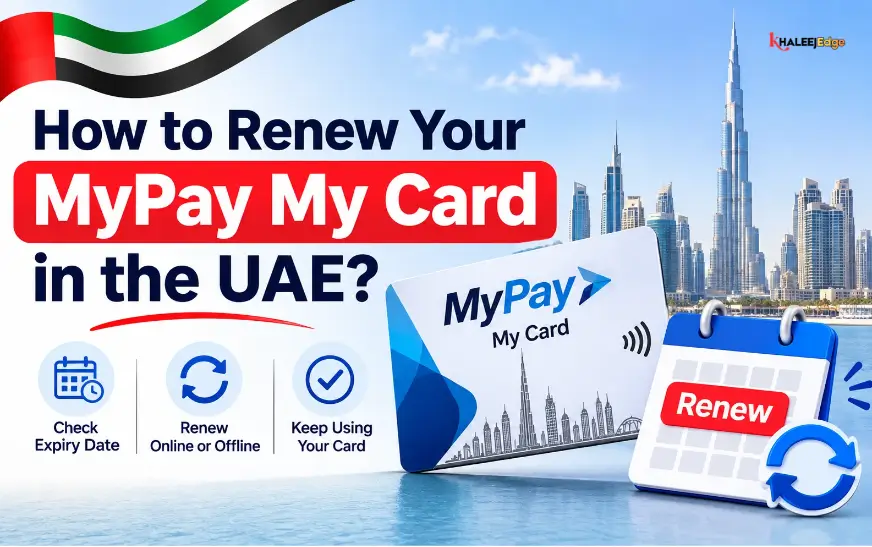
Standing in front of an ATM on payday only to see “Transaction Declined” flash across the screen is a sinking feeling. If you are one of the 400,000+ workers across the UAE who get paid through a MyPay My Card—the Wage Protection System (WPS) payroll card issued by LuLu Exchange in partnership with First Abu Dhabi Bank (FAB) and major networks like Mastercard and Discover—that piece of plastic is your financial lifeline. You use it to buy groceries, pay rent, and send money back home to your family.
When people search for how to renew their MyPay My Card, they are almost always dealing with one of two very different problems:
- The plastic card itself is expiring: Every card has a 5-year expiry date printed on the front (
MM/YY). Once that month passes, the plastic stops working and needs to be replaced. - Your Emirates ID recently expired: You renewed your visa and got a new Emirates ID, which caused the exchange house to put a temporary compliance freeze on your card until you show them your updated ID.
Before you panic or waste your day off standing in the wrong queue, here is everything you need to know about replacing an expiring MyPay card, lifting an Emirates ID block, activating your new PIN, and getting your cash out in the meantime.
What Actually Happens When Your MyPay Card Expires?
Every MyPay My Card comes with a 5-year validity period stamped right on the front. Five years feels like forever when you first sign your employment contract, but if you stick with the same company through a couple of visa renewals, that date sneaks up on you fast.
Is Your Salary Safe?
Let’s clear up the biggest fear right away: your money does not disappear when your card expires.
A lot of workers worry that an expired card means their existing balance is frozen forever, or that their next monthly salary will bounce back to their boss. That is not how the UAE’s Wage Protection System works. Your money sits in a payroll ledger account held by LuLu Exchange, not inside the plastic chip in your wallet. Even if your physical card expired last week, your company’s HR department can still transfer your monthly wages through the Ministry of Human Resources and Emiratisation (MOHRE) system, and the money will land safely in your account.
However, once the MM/YY date on the plastic passes, the card itself shuts down. Here is what you won’t be able to do until you get a new one:
- No ATM Withdrawals: Sliding your card into any FAB, Emirates NBD, Mashreq, or UAE SWITCH ATM will just get you an error message—or worse, the machine might swallow the expired card.
- No Supermarket Swipes: Point-of-Sale (POS) machines at grocery stores, cafeterias, and pharmacies will decline both taps and chip insertions.
- No Online Payments: You won’t be able to use the 16-digit card number to top up phone credit or buy anything online.
When Should You Order a New One?
Don’t wait until the 30th of the expiration month when rent is due. Request your renewal 30 to 45 days before the expiry date printed on the card. Since printing the card and getting it delivered by courier takes a few working days, sorting it out a month early means you won’t experience a single day without access to your cash.
What You Need Before You Start
Whether you plan to renew the card from your phone, walk into a LuLu Exchange branch, or ask your company PRO to handle it, keep these four things ready:
- Your Original, Valid Emirates ID: You cannot renew a financial card in the UAE with an expired government ID. Make sure your physical Emirates ID (or your digital card in the UAE PASS app) is active.
- Your Registered UAE Mobile Number: The SIM card linked to your LuLu Exchange file must be switched on and in your phone. Every step of the process relies on 6-digit One-Time Passwords (OTPs) sent by SMS.
- Your Current MyPay Card: You will need the 16-digit number on the front for reference.
- HR / PRO Approval (For Certain Companies): Some companies lock their corporate WPS profiles so that only the HR officer or camp boss can order replacement cards in bulk.
Method 1: Renewing Your Card on the LuLu Money App
If you want to skip the payday crowds at the exchange house, the easiest way to get a new card is through the LuLu Money App.
One quirk you should know before opening the app: there is no button literally labeled “Renew Card.” Instead, the app uses the Block & Replace Card feature whenever you need a fresh piece of plastic sent out for an expiring, worn-out, or damaged card.
Step 1: Log In and Check Your eKYC Status
Open the LuLu Money App on your phone (it’s on the Apple App Store, Google Play, and Huawei AppGallery) and log in with your PIN or fingerprint. If a banner pops up asking you to update your identity records first, tap Start my eKYC and choose Continue with UAE PASS. This pulls your latest residency details straight from the government database in about ten seconds.
Step 2: Open the “My Cards” Menu
On the main dashboard, tap LuLu Money Cards (or hit the More button at the bottom and select My Cards). You will see a picture of your salary card and your live dirham balance right on the screen.
Step 3: Use the “Block & Replace” Feature
To trigger a new card order, the system first has to retire your old card number.
- Tap Block & Replace Card in the card menu.
- Select Block, choose the reason from the drop-down list, and type in the 6-digit OTP sent to your phone via SMS.
- As soon as the old card is retired, a screen will pop up with two buttons: Replace Card and Go to My Cards.
- Tap Replace Card (you can also find the Replace Card button anytime inside the My Cards tab once the old card shows as blocked).
Step 4: Tell the Courier Where to Deliver It
After you punch in a second OTP to confirm the replacement request, the app will ask where you want the courier to drop off your new card pack:
- Current Address: Pick this if you haven’t moved since you first got your card.
- New Address: Pick this if you have moved to a new flat, shared accommodation, or labor camp. Type in your Emirate, neighborhood, building name, and room number clearly so the delivery driver doesn’t mark it as undeliverable.
Step 5: Pay the AED 3 Fee and Track the Courier
Hit Proceed to finish up. Make sure you leave at least a few dirhams sitting in your balance beforehand, because the system automatically deducts the standard renewal/replacement fee (usually AED 3) straight from your account. Once your order goes through, a Track Status button appears in the My Cards menu so you can watch the courier progress on your phone.
Method 2: Renewing Through Your Company HR or a LuLu Exchange Branch
Not everyone wants to mess around with mobile apps, and sometimes you simply can’t—especially if you lost your old SIM card and can’t receive the SMS code to log in. If that sounds like you, stick to one of these two offline routes.
Option A: Ask Your Company HR or PRO
Because the MyPay My Card is an official corporate payroll card, over 30,000 companies in the UAE use LuLu Exchange’s corporate WPS portal to manage their staff’s accounts.
If your card is about to expire, take a photo of the front of the card and show it to your HR manager, accountant, or company PRO about a month before the expiry date. They can log into the corporate WPS portal (or email LuLu Exchange’s corporate desk at wpsinfo@luluexchange.com) and order renewed cards for everyone in the company whose 5-year limit is up. A few days later, the courier delivers the sealed welcome kits straight to your company office, and HR hands yours over to you.
Option B: Walk Into Any LuLu Exchange Branch
If you want to sort it out yourself face-to-face—or if you need to change your registered mobile number at the same time—just head to a physical branch.
- Walk into the nearest LuLu Exchange: Bring your original Emirates ID and your old MyPay My Card. (Tip: Try to go mid-month rather than between the 1st and the 5th, when payday queues are out the door.)
- Head to the WPS / Customer Service Counter: Tell the staff your card is expiring (or that you changed your phone number and need a card replacement).
- Scan Your Emirates ID: The agent will pop your original Emirates ID into their card reader and check your fingerprint to verify who you are.
- Pick Up or Book Delivery: Depending on the exact card type you carry (FAB MyPay vs. the newer LuLu Money card series) and whether the branch has blank stock in the safe, they will either hand you a new card pack right across the counter or book a home courier delivery for you.
Is Your Card Actually Expired, or Did You Just Renew Your Visa? (The Emirates ID Freeze)
Here is something counter staff at exchange houses see every single day: most people who think their MyPay card needs to be “renewed” actually have a card that is still valid for another two or three years.
Look closely at the expiry date on the front of your card. If that date is still in the future, your card isn’t expired. What actually happened is that your UAE residency visa and Emirates ID recently expired. Under strict Central Bank of the UAE (CBUAE) rules, every bank and exchange house must automatically freeze an account the moment the customer’s Emirates ID expires.
Once your company gives you your newly renewed Emirates ID, you do not need to pay for a new salary card. You just need to update your Know Your Customer (KYC) record to unfreeze your existing card.
How to Unfreeze It on Your Phone with UAE PASS
If you have the UAE PASS app set up on your phone, you can fix this from your bed in two minutes:
- Open the LuLu Money App and log in.
- Tap your Profile icon at the top, or tap the Update eKYC prompt on the home screen.
- Type in your Emirates ID number, tick the box to accept the terms, and tap Continue with UAE PASS.
- Your phone will switch over to the UAE PASS app. Approve the request using your fingerprint, Face ID, or UAE PASS PIN.
- The app will jump back to LuLu Money with your new visa and Emirates ID expiry dates filled in automatically. Hit confirm, and your old MyPay card will start working again immediately—same card number, same PIN.
How to Unfreeze It at a Branch
If you don’t use UAE PASS, just take your new original Emirates ID to any LuLu Exchange branch. Hand it to the customer care desk or use the self-service kiosk inside the branch. Once they scan the chip on your new ID, the block drops off your salary card right away.
How to Activate Your New MyPay Card and Set a PIN?
When your renewed MyPay card finally lands in your hands, it comes locked for security. Before you try using it at a supermarket or ATM, you have to activate it and pick a 4-digit PIN. You have three ways to do this:
1. Inside the LuLu Money App (Quickest Way)
- Open the LuLu Money App and go to My Cards.
- Tap Activate Card and punch in the details from your new card.
- Next, go back to the My Cards menu and tap Change/Set Card PIN.
- Enter your card details and type in the 6-digit OTP sent to your mobile number.
- Choose a 4-digit PIN you will easily remember, type it a second time to confirm, and hit submit. Your card is ready to use immediately.
2. At a Partner Bank ATM
Check the bank logo printed on your card. If it carries the FAB (First Abu Dhabi Bank) logo, walk up to any FAB ATM (certain card batches also let you do this at Emirates NBD, Emirates Islamic, or Mashreq Bank ATMs):
- Slide your new MyPay card into the machine.
- Pick your language (English, Arabic, Urdu, Hindi, and Malayalam are all supported).
- Tap PIN Generation / Card Activation on the screen.
- Type in the OTP sent to your phone (or the paper PIN inside your welcome envelope, depending on the card series).
- Enter your new 4-digit secret PIN twice to lock it in.
3. Over the Phone with Customer Care
If the app is acting up and you aren’t near an ATM, open My Cards -> Activate Card in the app and tap Customer Support, or dial LuLu Exchange directly at 600 522 204. The automated phone system (or an agent) will verify your Emirates ID and mobile number and switch the card on for you.
MyPay My Card Renewal Fees and ATM Charges
Nobody likes losing chunks of their salary to surprise bank fees. Depending on whether your company uses the standard LuLu WPS package or a FAB corporate tier, here is the real-world cost breakdown in dirhams:
| Service or Transaction | Official Fee (AED) | What You Should Know |
| Card Renewal (After 5 Years) | AED 3 | Deducted straight from your balance |
| Lost or Damaged Card Replacement | AED 3 to AED 15 | Depends on your company’s WPS contract |
| First-Time Card Issuance | AED 0 to AED 10 | Usually paid by your employer |
| Cash Withdrawal at LuLu Exchange Counter | Free | Just bring your original Emirates ID |
| FAB / Partner ATM Cash Withdrawal | Free (First 2/month) | For FAB-issued MyPay cards used at FAB ATMs |
| Other UAE ATMs (UAE SWITCH Network) | AED 2 (+ VAT) | Charged every time you pull cash out |
| ATM Balance Check | AED 2 | 100% Free if you check on the LuLu Money App |
| Monthly Inactivity Fee | AED 2 to AED 3 | Only charged if you don’t touch the card for months |
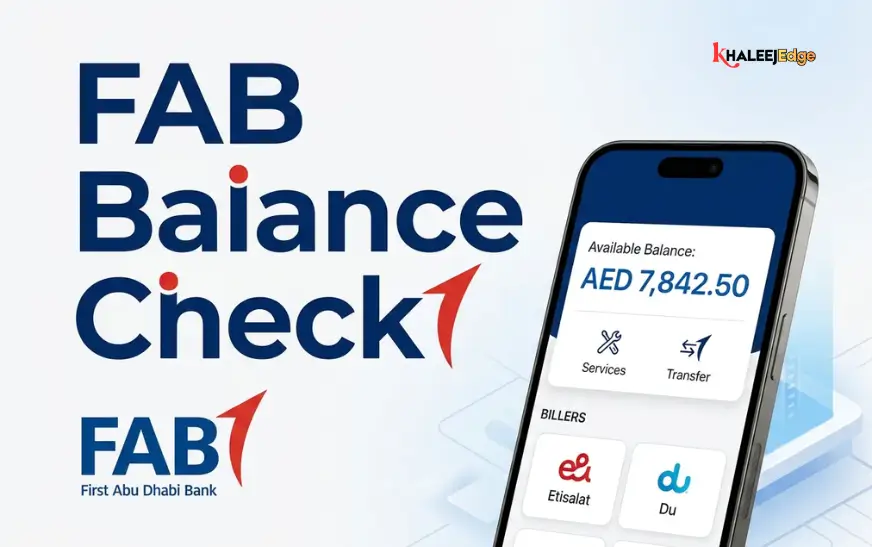
A Quick Tip to Save Money: Stop putting your card into street ATMs just to see if your boss has paid your salary yet. Every time you print or view your balance on a non-partner ATM screen, it eats AED 2 from your account. Even worse, if you try to withdraw cash before your salary hits and the machine declines the transaction for insufficient funds, you still get charged AED 2! Always open the LuLu Money App to check your balance for free before walking to an ATM.
How to Get Your Cash While Waiting for Your New Card?
What if your old card is expired or blocked today, the courier won’t bring your new card for another four days, and you need cash right now to buy food or send money home?
Because your salary sits in your LuLu Exchange account rather than inside the plastic card, you are not locked out of your money while waiting for a replacement card:
- Pull Cash Out at Any LuLu Exchange Counter: Walk into any LuLu Exchange branch in the UAE with your original Emirates ID and your mobile phone. Tell the cashier you want to do a WPS over-the-counter withdrawal. They will scan your ID, send an OTP to your phone to confirm, and hand you your salary in physical cash right across the glass—for zero fee.
- Send Money Home Straight from the App: You don’t need an active plastic card to send money to your family in India, Pakistan, the Philippines, Bangladesh, Egypt, or anywhere else. Just open the LuLu Money App, pick your beneficiary, and fund the transfer directly from your WPS salary balance.
Watch Out for “Card Renewal” Scammers
Whenever visa and card renewals come around, scammers go fishing. Across the UAE, workers regularly get WhatsApp messages, SMS links, or phone calls from people pretending to work for LuLu Exchange, FAB, or the UAE Central Bank, claiming: “Your salary card will be permanently blocked in 2 hours unless you give us the verification code sent to your phone.”
Protect your wages by sticking to three simple rules:
- Never Read Out an OTP or PIN: No real employee at LuLu Exchange or FAB will ever call you on the phone or message you on WhatsApp asking for your 6-digit SMS OTP, your 4-digit ATM PIN, or the 3-digit CVV number on the back of your card. If someone asks for those numbers, hang up immediately—they are trying to empty your salary account into a digital wallet.
- Stick to Official Numbers: Only trust the official helpline at 600 522 204, the verified LuLu Money App, or an actual counter inside a LuLu Exchange branch.
- Check the Envelope Seal: When the courier or your company PRO hands you your new card envelope, make sure the security glue hasn’t been torn open and taped back together.
Frequently Asked Questions (FAQs)
1. Will my current balance move over to my new MyPay My Card automatically?
Yes, automatically. Your money is kept in your LuLu Exchange WPS account, not inside the plastic card. The moment you activate your renewed card, it connects straight to your existing dirham balance and your future monthly salary payments.
2. How many days does it take to get a renewed MyPay card?
If you order a replacement through the LuLu Money App, courier delivery to your home or accommodation usually takes 2 to 5 working days. If you go directly to a main LuLu Exchange branch, they can often issue a replacement card on the spot if they have your card series in stock.
3. Can my company still pay my salary if my MyPay card is expired?
Yes. An expired plastic card only stops you from using ATMs, store card machines, and shopping websites. Your underlying WPS payroll account stays open, so your boss can transfer your wages through MOHRE as normal without the payment failing.
4. Why did my MyPay card get declined when the expiry date is still years away?
Nine times out of ten, it is because your Emirates ID expired. UAE law forces exchange houses to freeze cards the day a customer’s Emirates ID expires. Once you get your renewed Emirates ID, update it through UAE PASS on the LuLu Money App or scan it at a LuLu Exchange branch, and your card will start working again right away. The other common culprit is typing the wrong PIN three times in a row at an ATM.
5. How can I get money out of my account if my card is expired or lost?
Take your original, valid Emirates ID and your registered mobile phone to any LuLu Exchange branch counter. Ask the teller for an over-the-counter WPS cash withdrawal—they will verify an SMS OTP on your phone and hand you your cash for free.
6. How much does LuLu Exchange charge to renew a MyPay My Card?
Renewing a card after its 5-year validity ends costs AED 3. If you are replacing a lost or damaged card earlier than that, the fee runs between AED 3 and AED 15 depending on your company’s specific WPS agreement and card network. The money is taken directly from your card balance.
7. What if I changed my UAE phone number and can’t get the SMS OTP to renew my card?
For security reasons, you cannot change your registered phone number inside the app without having access to your old SIM card. You will need to walk into the nearest LuLu Exchange branch with your original Emirates ID so an officer can verify your fingerprint and update your mobile number in their computer system.
8. Which ATMs are free to use with my MyPay My Card?
If your card has the First Abu Dhabi Bank (FAB) logo on it, use FAB ATMs—your first two cash withdrawals and balance inquiries each month are free (and some company packages include unlimited free FAB ATM use). Certain LuLu WPS cards also partner with Emirates NBD, Emirates Islamic, and Mashreq Bank ATMs. Using any other bank’s ATM via the UAE SWITCH network costs AED 2 + VAT per withdrawal.
9. Can I use my renewed MyPay card to shop online or when traveling home on leave?
Yes. Since MyPay cards run on the Mastercard or Discover network, they work for 3D Secure online shopping, tap-to-pay at retail stores, and overseas ATMs and shops when you travel home on vacation. Just check the card settings inside your LuLu Money App to make sure online and international transactions are toggled on.
10. Who do I call if the courier hasn’t delivered my renewed card yet?
First, check the live delivery tracker by opening the LuLu Money App and tapping My Cards -> Track Status. If it is delayed beyond 5 working days, call LuLu Exchange customer care at 600 522 204 or email customercare@ae.luluexchange.com with your Emirates ID number and registered mobile number.