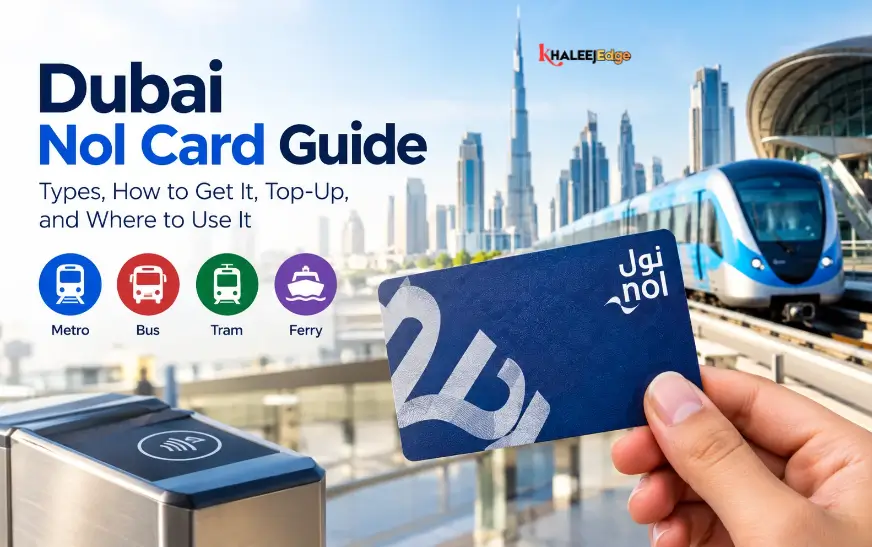


The quickest way to check your Nol card balance is with the nol Pay app. Open it, tap “check card info,” and hold your card against the back of your phone. If you would rather not use NFC, the RTA website also shows your balance once you enter the 10-digit tag ID printed on the card. Metro stations have machines for the same job.
This guide covers every official method and what each one shows. It also explains why a balance sometimes looks wrong and what to do when it does, so you are not caught out at the gate.
Before You Start: Find Your Nol Tag ID
Most online methods ask for your nol tag ID. It is a 10-digit number printed on the back of the card. It is not the same as any number on the front, so check the back before you type anything in.
If you have a personalised card and have lost track of the number, RTA support can help. The RTA call centre is reachable on 800 9090. Expect to be asked to verify your identity first.
Method 1: Check Your Nol Card Balance in the nol Pay App
The nol Pay app is RTA’s official app for managing nol cards. It is the fastest route if your phone has NFC, which iPhone, Android and Huawei devices support.
- Download nol Pay from the App Store, Google Play or Huawei AppGallery.
- Open the app and tap Check card info.
- Place your nol card flat against the back of your phone, near the NFC area.
- Keep the card still until the balance appears on screen. Do not remove it early, or the scan will fail.
The app can also handle top-ups. Balances added through nol Pay do not need separate activation, which is an advantage over website top-ups, covered below.
If the scan fails: NFC antennas sit in different places on different phones. Slide the card slowly across the back until the app responds, and remove any thick case or metal card holder first.
Method 2: Check Balance on the RTA Website
The website works on any browser and needs no NFC, so it suits laptops, older phones and visitors who would rather not install an app.
- Go to rta.ae and select Check nol balance on the homepage.
- Enter your 10-digit nol tag ID.
- Click Search.
You will see your balance, any pending credit and the card’s expiry date. The pending credit line is worth reading. It shows a top-up that has been paid for but not yet activated on the card.
RTA also runs a dedicated nol portal. Gulf News lists it as nol.rta.ae for checking and recharging. RTA reorganises its pages from time to time, so if a menu path looks different from this guide, search from the RTA homepage instead.
Method 3: Use the RTA Dubai App
The RTA Dubai app bundles many services, including more than 40 features for drivers and public transport users. Balance checking is one of them.
Open the app, find the nol balance option, and enter your tag ID to view the balance. Some guides describe signing in first, but the exact steps vary by app version. If you only want a balance check, nol Pay is simpler. The RTA Dubai app makes more sense if you already use it for other RTA services such as Salik or parking.
Method 4: Check at a Metro Station
Every Dubai Metro station has ticket vending machines and ticket counters where you can check your balance, top up, or buy a new card. Some bus stations also have solar-powered top-up machines, though only at selected locations.
This is the fallback when your phone is dead or you have no data. Tap the card on the machine and the screen shows the balance.
Which Method Should You Use?
| Method | Needs NFC phone | Needs tag ID | Best for |
| nol Pay app | Yes | No (card is scanned) | Fast checks and instant top-ups |
| RTA website | No | Yes | Desktop use, visitors, checking pending credit and expiry |
| RTA Dubai app | No | Typically yes | People who already use RTA services in the app |
| Metro station machine | No | No | No phone or data available |
For a daily commuter, nol Pay is the practical default. Keep the website for the occasions when you want to see pending credit or the expiry date.
What the Balance Means for Your Journey
A balance check only helps if you know what number you are looking for. The widely reported minimum to start a single Metro trip is Dh7.50. Below that, the gate may refuse you even though the card still holds some credit. Fares are distance-based, so a longer trip may need more than the minimum.
On buses the gate logic is similar, and it adds a second step. You tap your card again as you exit. If a tap fails, the cause may be insufficient balance or an expired card, so a quick check before travelling saves trouble.
As a practical habit, keep a comfortable cushion above the minimum. If your usual trip costs around Dh5 each way, a card sitting at Dh8 is one return journey away from being stuck.
Setting Up Low-Balance Alerts
In November 2025, RTA introduced reminders for cards that are linked to a person. According to Gulf News, personalised cards linked to a mobile number and Emirates ID get an SMS when the balance drops below Dh7.50. The message also explains how to recharge.
This applies only to personalised cards. Anonymous cards, such as the typical tourist Silver card, will not send alerts. If you commute regularly and use an unregistered card, registering it gives you both alerts and some protection if the card is lost.
RTA may change alert rules, so confirm the current terms in the nol Pay app or on rta.ae.
Topping Up After You Check
If the balance is low, the method you pick affects how soon you can travel.
- nol Pay app: The balance is topped up instantly. This is the quickest option.
- RTA website or other online channels: Payment goes through, but the credit usually has to be activated by tapping the card at a Metro gate, parking machine, solar top-up machine or in the nol Pay app. One guide quotes a delay of 45 minutes to 4 hours before it is available. Treat that range as indicative rather than guaranteed.
- Online top-up limits: Gulf News reports a minimum of Dh5 and a maximum of Dh150 on RTA’s official digital platforms.
- Metro stations: Reported minimums are Dh50 at ticket office counters and Dh20 at ticket vending machines. Don’t rely on these figures indefinitely, because RTA has changed them before.
A common mistake is topping up online, seeing the old balance at the gate, and assuming the payment failed. Check the pending credit on the RTA website first. If the money is listed there, tap the card at a machine to activate it.
Common Problems and How to Fix Them
The balance looks lower than expected
Check recent trips. On buses, an untapped exit can lead to a default fare charge. If you believe a deduction is wrong, contact RTA with your tag ID and travel details.
A top-up has not appeared
Look for pending credit on the website, then tap the card at a Metro gate or top-up machine to activate it. If nothing happens after a reasonable time, keep your payment receipt and call 800 9090.
The app will not read the card
Check that NFC is switched on, remove any case, and try again with the card flat. If the app still fails, use the website with your tag ID instead.
The card has expired or been lost
Cards have an expiry date, and the website check shows it. For a lost or damaged personalised card, RTA offers a refund process through its site, where you enter your tag ID and mobile number. Silver cards are often unregistered, which makes recovery harder. That is one reason to register the card.
Cards Beyond Silver: Does the Method Change?
Dubai issues several nol card types, commonly described as Silver, Gold, Blue and Red. The balance-checking methods above apply across them, because all rely on the tag ID or the card’s NFC chip. What differs is who can use each card and the fare category, not how you read the balance.
Some cards, such as concession cards, are tied to the holder. If you manage one for a family member, you may need their details to access account-level features.
Frequently Asked Questions
Is it free to check my nol card balance?
Checking via the RTA website, nol Pay or a Metro machine does not carry a fee that I could find in the sources reviewed. Top-ups use your payment method as normal. Confirm current charges on rta.ae.
Can I check my nol balance without internet?
Yes. Use a ticket vending machine at a Metro station, which reads the card directly.
Can tourists check their balance online?
Yes. The website only needs the 10-digit tag ID, so you don’t need an account for a basic check.
How often should I check my balance?
There is no official rule. If you commute daily, a glance before heading out is a sensible habit. If you only travel occasionally, check before a longer trip or a busy morning.
Why does my card get refused with money on it?
You may be below the minimum needed to start a journey, or the card may be expired, or a recent top-up may still be awaiting activation. Check all three.
Is there an official SMS service to check balance?
I found an SMS balance-check code quoted on non-official sites, but I could not verify it with RTA. I would not publish it without confirming it directly. The only SMS feature I could verify is the low-balance alert for personalised cards, described above.
Conclusion
To check your Nol card balance, use the nol Pay app for speed, the RTA website when you want pending credit and expiry details, or a Metro station machine when you have no phone. Keep your tag ID handy and stay above the Dh7.50 starting minimum.
If you travel in Dubai regularly, register your card and enable the low-balance alert, then top up through nol Pay so the credit is ready immediately. Before your next trip, do a thirty-second balance check. For more practical UAE guides, browse the transport section of Khaleej Edge.